Viewing entries tagged with 'Swing'
Highlights
New SVG renderer
The FlatLaf
Extras library
now used JSVG library (instead of
svgSalamander) for SVG rendering. JSVG provides improved SVG rendering and uses
less memory compared to svgSalamander.
IntelliJ Themes improved
Many improvements and fixed were made to the
FlatLaf IntelliJ Themes Pack.
If you use those themes it is highly recommended to upgrade to this release.
TabbedPane: rounded selection
TabbedPane now support rounded underline selection and rounded card tabs. Card
tabs now have rounded corners by default.

FileChooser: more localized texts
FileChooser now show localized text for all locales supported by Java's Metal
look and feel.
Toolbox-style "small" window title bar
FlatLaf Window Decorations now supports toolbox-style "small" window title bar.

Windows on ARM
The FlatLaf native library is now also available for ARM 64-bit architecture on
Windows.
Change Log
See https://github.com/JFormDesigner/FlatLaf/releases/tag/3.2
2023-08-12
FlatLaf, Swing, Look and Feel, SVG
Highlights
Windows 11: rounded popup borders
On Windows 11, popups now use native Windows 11 rounded borders and drop
shadows, which gives them a beautiful look:
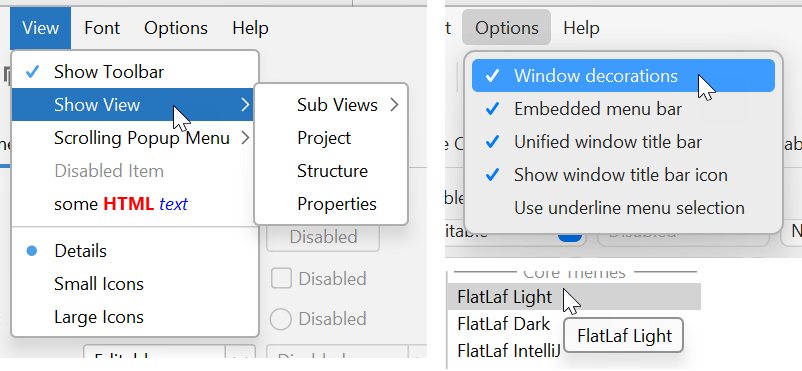
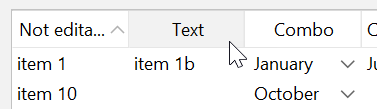
Table: header hover and pressed feedback
Columns in table header now show hover and pressed feedback:
Change Log
See https://github.com/JFormDesigner/FlatLaf/releases/tag/3.1
2023-04-12
FlatLaf, Swing, Look and Feel
Highlights
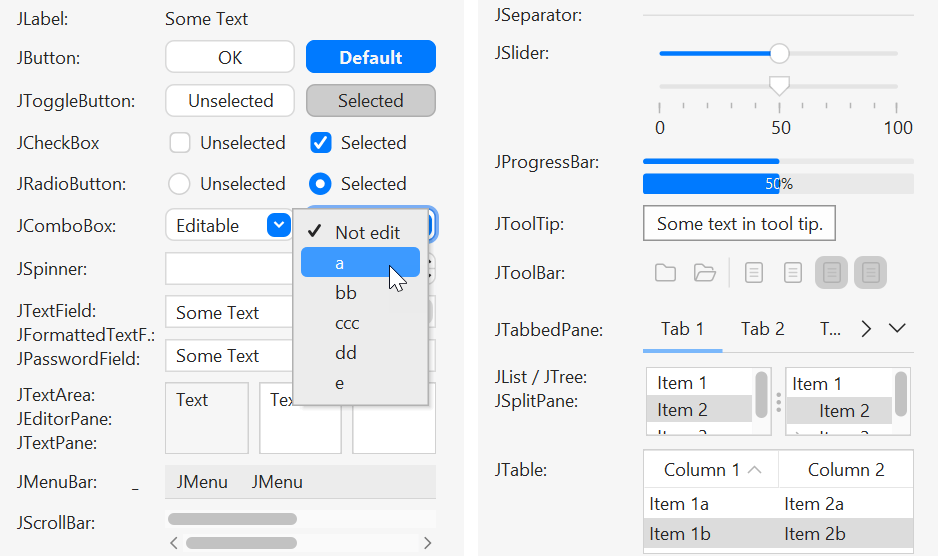
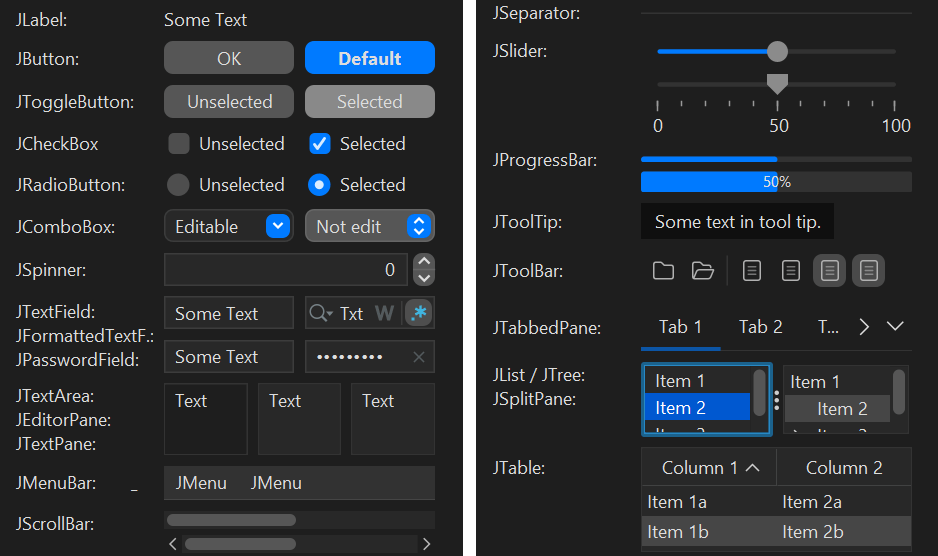
macOS themes
New light and dark themes that use macOS colors and look similar to native macOS controls:
Fonts
Packaged fonts
Inter,
Roboto and
JetBrains Mono
into JARs (available on Maven Central) and provide an easy way to use them with FlatLaf.
Rounded selection
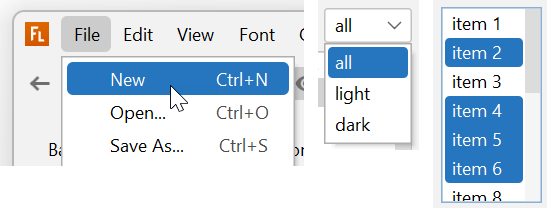
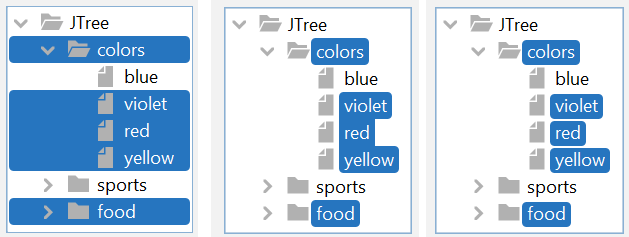
JMenuItem, JComboBox, JList and JTree components now support rounded selection.
This is currently used only in macOS themes for menus and combo boxes, but may be used in standard themes as well in the future.
Feel free to use it in own themes to give your application a special look. See PRs for instructions.
Rounded outlined icons
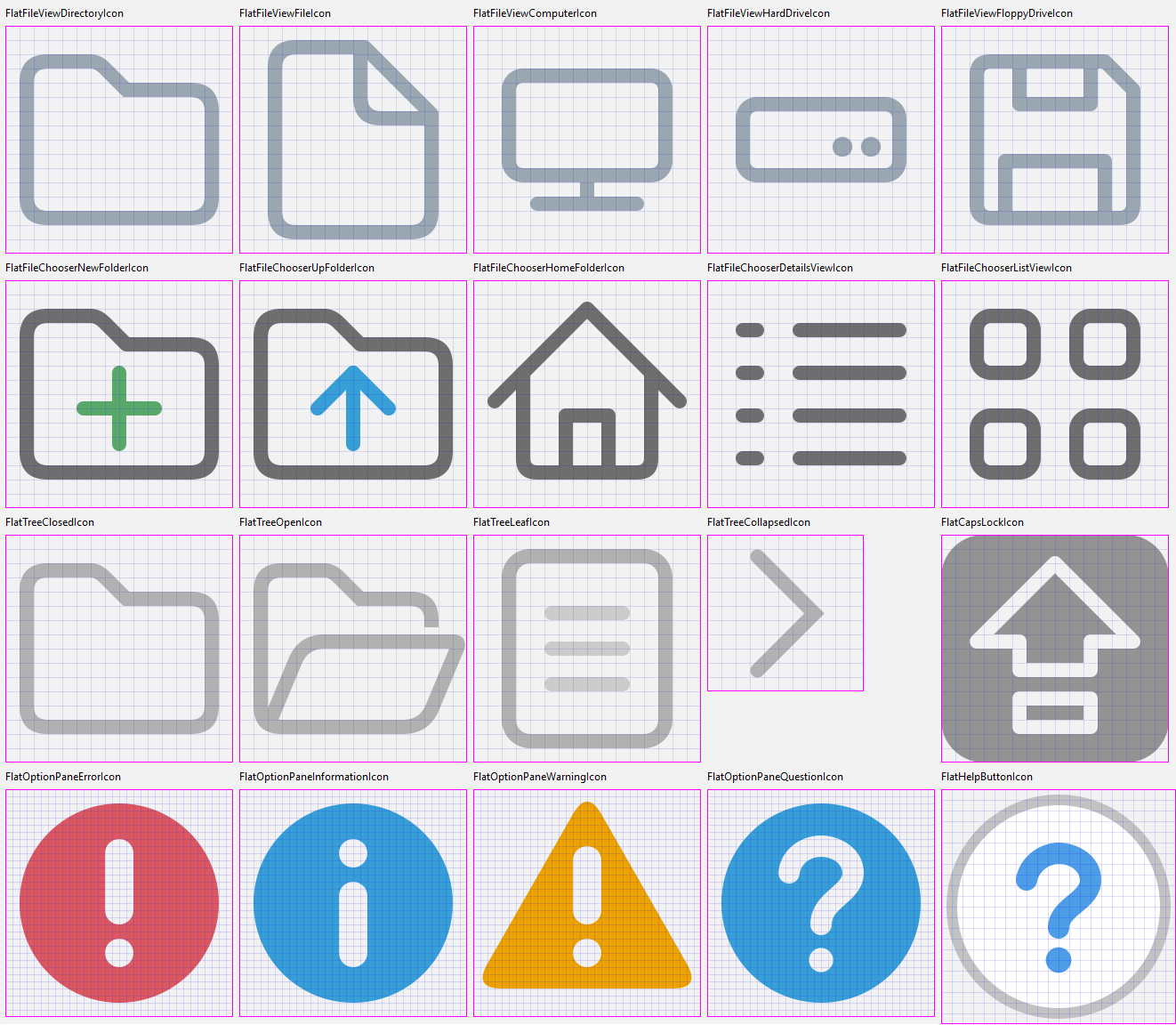
JFileChooser, JOptionPane, JPasswordField and JTree got new modern rounded outlined icons:
Change Log
See https://github.com/JFormDesigner/FlatLaf/releases/tag/3.0
2023-01-03
FlatLaf, Swing, Look and Feel, macOS, Fonts
Highlights
This release brings some usability improvements to the window title bar used in FlatLaf window decorations.
This affects only Windows 10/11.
Window resizing
There are now additional areas at top of embedded menu bar to resize the window. This makes it easier to resize small frames with lot of menus.

Minimum window title width for moving window
The window title now has a minimum width, which avoids that it is completely hidden in small frames with menus. The window title is important because it is needed to move the window. Without any window title, you can move the window only via the small area around the window icon.

Buttons shrink if space is rare
The width of iconify/maximize/close buttons is reduced if space is rare, to give more space to embedded menu bar and title.


Show app icon beside title
There is a new option to show window icon beside window title, if menu bar is embedded or title is centered.

Change log
See https://github.com/JFormDesigner/FlatLaf/releases/tag/2.4
2022-07-14
FlatLaf, Swing, Look and Feel, HiDPI
Highlights
macOS improvements in FlatLaf Demo
The FlatLaf Demo now demonstrates how to use the "full window content" feature on macOS to extend the content into the window title bar:

This is the old FlatLaf Demo without "full window content":

And here is a guide to use this in own applications.
File chooser shortcuts panel
This release adds a shortcuts panel to the left side of all file choosers (class JFileChooser):
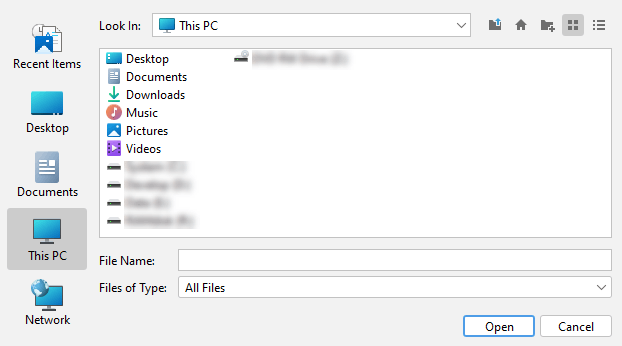
On Windows, the content of the shortcuts panel is the same as in the Java Windows L&F.
On macOS and Linux the shortcuts panel is empty and hidden.
However you can customize the content. See PR #522
Change log
See https://github.com/JFormDesigner/FlatLaf/releases/tag/2.3
2022-05-28
FlatLaf, Swing, Look and Feel, HiDPI